Download gratuito di famiglia di font
Neura Display
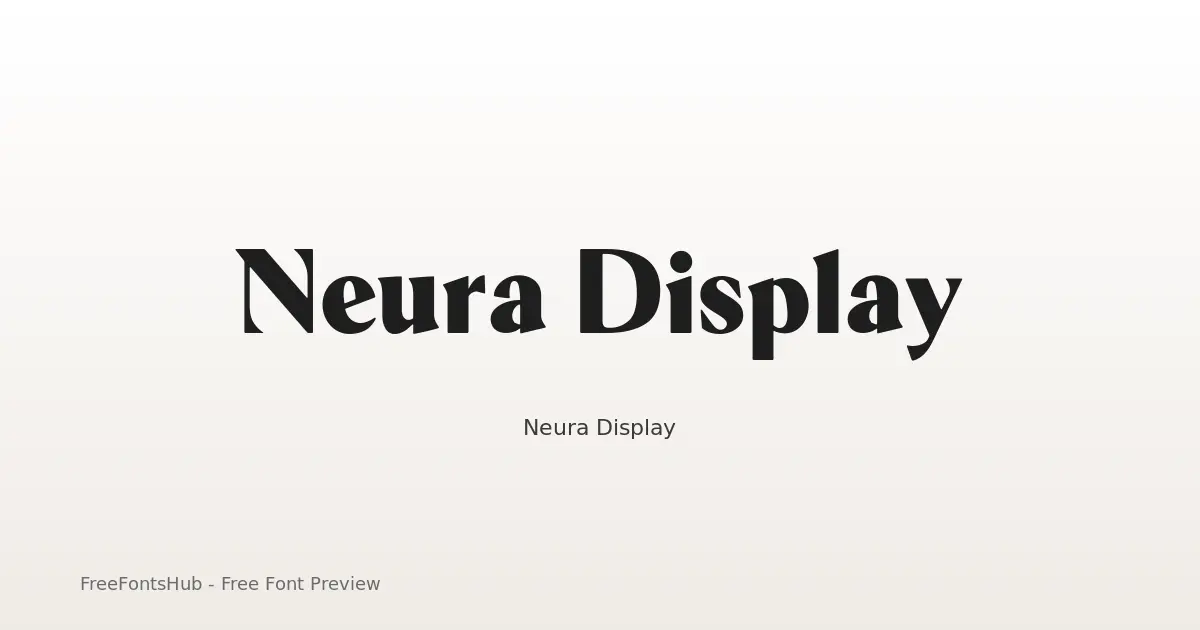
Neura Display is a high-contrast hybrid typeface designed for a futuristic, editorial aesthetic. By stripping traditional serif "feet" (nails and foots) while retaining elegant half-serif terminals and rounded corners, it bridges the gap between scientific precision and luxury fashion. It is a sans-serif font at its core, but these unique terminal treatments provide a "serif-ish" vibe that makes it stand out in tech, AI, and high-end branding contexts.
Informazioni sul font Neura Display
Neura Display is a high-contrast hybrid typeface designed for a futuristic, editorial aesthetic. By stripping traditional serif "feet" (nails and foots) while retaining elegant half-serif terminals and rounded corners, it bridges the gap between scientific precision and luxury fashion. It is a sans-serif font at its core, but these unique terminal treatments provide a "serif-ish" vibe that makes it stand out in tech, AI, and high-end branding contexts.
Stili in questa famiglia: Black, Bold, ExtraBold, ExtraLight, Light, Medium +3 in più. Anteprima ogni peso in questa pagina, poi scarica il pacchetto completo di Neura Display.
Stili disponibili
Anteprima di ogni pesoBlack
Bold
ExtraBold
ExtraLight
Light
Medium
Regular
SemiBold
Thin


Usa ← → per gli stili, + − per lo zoom, scorri per ingrandire, Esc per chiudere
Come usare Neura Display
- Scarica lo ZIP di Neura Display (9 stili, TTF + readme).
- Decomprimi, poi installa i font desktop (TTF/OTF) su Windows, macOS o Linux.
- Per il web, preferisci WOFF2/WOFF quando inclusi; tieni TTF/OTF come fallback.
- Segui SIL Open Font License (OFL 1.1) prima di pubblicare a scopo commerciale.
Licenza e attribuzione
Licenza: SIL Open Font License (OFL 1.1)
Controlla sempre il readme.txt incluso e la licenza originale prima dell'uso commerciale. FreeFontsHub fornisce confezionamento e scoperta; i diritti restano del designer o della fonderia.
Permesso di incorporazione: installable
Domande frequenti
Neura Display è gratuito?
Sì, puoi scaricare Neura Display gratis da questa pagina. Segui la licenza per gli usi consentiti.
Cosa è incluso nello ZIP?
Lo ZIP include tutti i file di stile disponibili per Neura Display (TTF) più un readme con i dati di designer, fonderia e licenza.
Chi ha creato Neura Display?
Progettato da Yasir Ekinci.
Posso usarlo a scopo commerciale?
L'uso commerciale di Neura Display dipende da SIL Open Font License (OFL 1.1). Controlla la licenza in questa pagina e nello ZIP prima di progetti commerciali.