Téléchargement gratuit de famille de polices
Neura Display
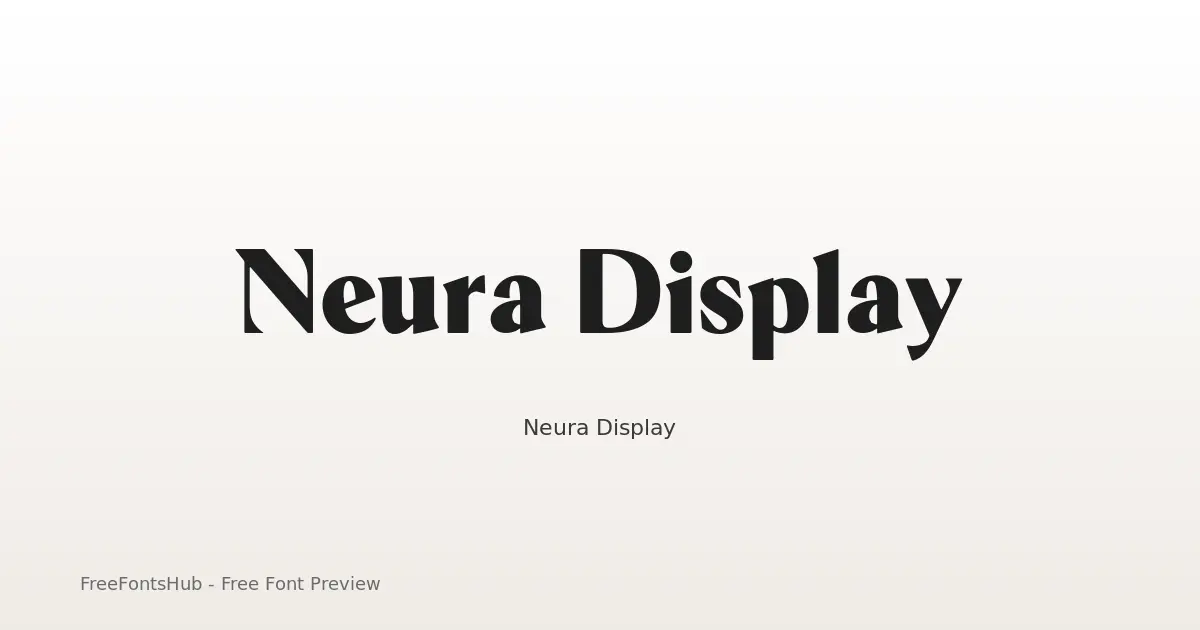
Neura Display is a high-contrast hybrid typeface designed for a futuristic, editorial aesthetic. By stripping traditional serif "feet" (nails and foots) while retaining elegant half-serif terminals and rounded corners, it bridges the gap between scientific precision and luxury fashion. It is a sans-serif font at its core, but these unique terminal treatments provide a "serif-ish" vibe that makes it stand out in tech, AI, and high-end branding contexts.
À propos de la police Neura Display
Neura Display is a high-contrast hybrid typeface designed for a futuristic, editorial aesthetic. By stripping traditional serif "feet" (nails and foots) while retaining elegant half-serif terminals and rounded corners, it bridges the gap between scientific precision and luxury fashion. It is a sans-serif font at its core, but these unique terminal treatments provide a "serif-ish" vibe that makes it stand out in tech, AI, and high-end branding contexts.
Styles de cette famille : Black, Bold, ExtraBold, ExtraLight, Light, Medium +3 de plus. Prévisualisez chaque graisse sur cette page, puis téléchargez le pack complet Neura Display.
Styles disponibles
Prévisualiser chaque graisseBlack
Bold
ExtraBold
ExtraLight
Light
Medium
Regular
SemiBold
Thin


Utilisez ← → pour les styles, + − pour zoomer, faites défiler pour zoomer, Échap pour fermer
Comment utiliser Neura Display
- Téléchargez le ZIP Neura Display (9 styles, TTF + readme).
- Décompressez, puis installez les polices de bureau (TTF/OTF) sous Windows, macOS ou Linux.
- Pour le web, préférez WOFF2/WOFF lorsqu'ils sont inclus ; conservez TTF/OTF en secours.
- Respectez SIL Open Font License (OFL 1.1) avant toute publication commerciale.
Licence et attribution
Licence : SIL Open Font License (OFL 1.1)
Vérifiez toujours le readme.txt inclus et la licence d'origine avant un usage commercial. FreeFontsHub assure le conditionnement et la découverte ; les droits restent ceux du designer ou de la fonderie.
Permission d'intégration : installable
Questions fréquentes
Neura Display est-elle gratuite ?
Oui, vous pouvez télécharger Neura Display gratuitement depuis cette page. Respectez la licence pour les usages autorisés.
Que contient le ZIP ?
Le ZIP contient tous les fichiers de style disponibles pour Neura Display (TTF) ainsi qu'un readme avec les informations du designer, de la fonderie et de la licence.
Qui a créé Neura Display ?
Conçue par Yasir Ekinci.
Puis-je l'utiliser à des fins commerciales ?
L'usage commercial de Neura Display dépend de SIL Open Font License (OFL 1.1). Consultez la licence sur cette page et dans le ZIP avant tout projet commercial.