Free font family download
Neura Display
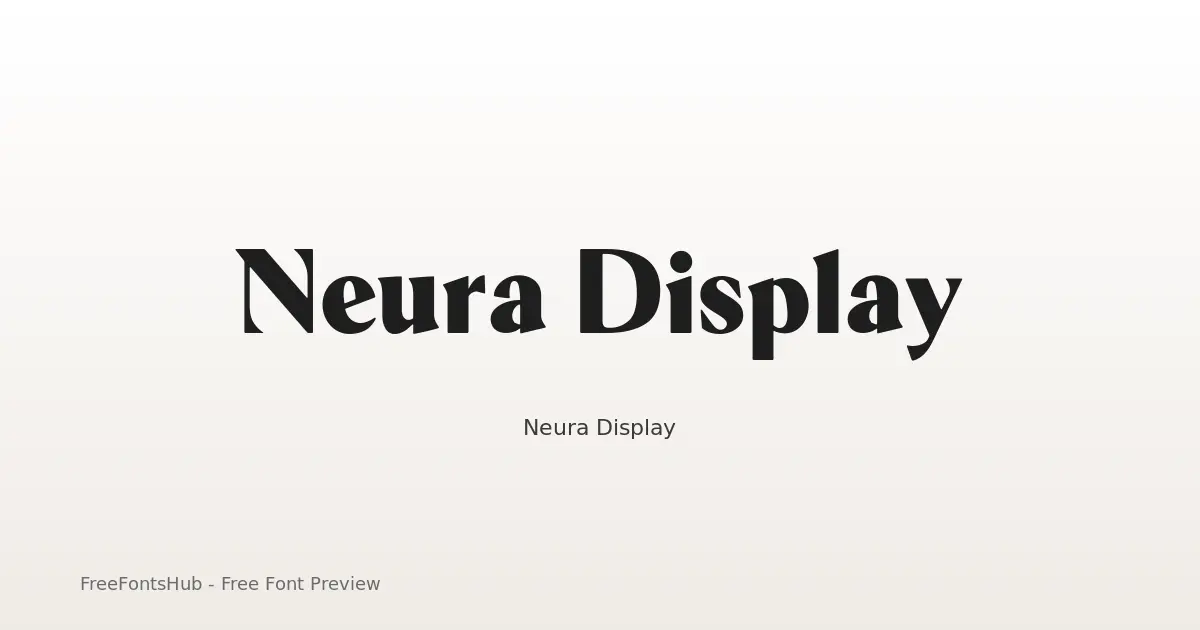
Neura Display is a high-contrast hybrid typeface designed for a futuristic, editorial aesthetic. By stripping traditional serif "feet" (nails and foots) while retaining elegant half-serif terminals and rounded corners, it bridges the gap between scientific precision and luxury fashion. It is a sans-serif font at its core, but these unique terminal treatments provide a "serif-ish" vibe that makes it stand out in tech, AI, and high-end branding contexts.
About Neura Display Font
Neura Display is a high-contrast hybrid typeface designed for a futuristic, editorial aesthetic. By stripping traditional serif "feet" (nails and foots) while retaining elegant half-serif terminals and rounded corners, it bridges the gap between scientific precision and luxury fashion. It is a sans-serif font at its core, but these unique terminal treatments provide a "serif-ish" vibe that makes it stand out in tech, AI, and high-end branding contexts.
Styles in this family: Black, Bold, ExtraBold, ExtraLight, Light, Medium +3 more. Preview each weight on this page, then download the complete Neura Display package.
Available Styles
Preview every weightBlack
Bold
ExtraBold
ExtraLight
Light
Medium
Regular
SemiBold
Thin


Use ← → for styles, + − to zoom, scroll to zoom, Esc to close
How to Use Neura Display
- Download the Neura Display ZIP (9 styles, TTF + readme).
- Unzip, then install the desktop fonts (TTF/OTF) on Windows, macOS, or Linux.
- For web use, prefer WOFF2/WOFF when included; keep TTF/OTF as fallbacks.
- Follow SIL Open Font License (OFL 1.1) before publishing commercially.
License & Attribution
License: SIL Open Font License (OFL 1.1)
Always check the included readme.txt and original license before commercial use. FreeFontsHub provides packaging and discovery; rights remain with the designer/foundry.
Embedding permission: installable
Frequently Asked Questions
Is Neura Display free?
Yes, you can download Neura Display free from this page. Follow the license for permitted usage.
What is included in the ZIP?
The ZIP includes all available style files for Neura Display (TTF) plus a readme with designer, foundry, and license details.
Who created Neura Display?
Designed by Yasir Ekinci.
Can I use it commercially?
Commercial use of Neura Display depends on SIL Open Font License (OFL 1.1). Review the license on this page and inside the ZIP before commercial projects.